Classroom technology
There are many reasons for technology integration in education; schools use tech to meet several needs:
Of course, students must leave school with technology skills due to the ever-increasing usage of technology in the workplace. However, learning about technology use and learning with technology are not the same thing.
Educational goals should lead technology in education.
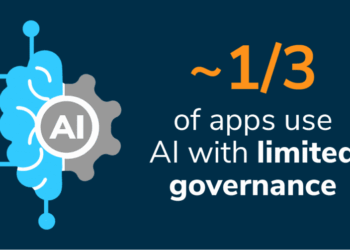
Consider this: generative AI’s presence in the classroom is only increasing. It’s a powerful technology, so much so that its implementation requires careful thought to make sure it’s an asset and not a hazard. If used wisely, AI can improve learning outcomes with personalized and equitable learning.
For example, AI-powered tools can provide instant feedback to students, helping them adjust accordingly. IT can also adapt on the fly to student needs and provide access to tutoring catered to their individual learning pace.
Learn more about this in our white paper, AI in K-12: An IT Admin’s First Steps to Secure, Ethical and Purposeful AI Deployment >>
This is why technology purchase decisions in education should start with a discussion about learning intentions, modalities and practices. Educators should ask themselves the following questions:

-
What is the learning goal? What is the desired outcome?
-
What tools meet that specific need? Who decides this?
-
What infrastructure does your school need to put into place to support these goals? Who decides?
-
How do these learning goals promote equity?
-
How does your school plan for longevity?
After you have answered these questions, and not before, is the time to discuss specific tech that will support a specific educational goal such as beginning a TEAL model of student-focused education or another student-centered learning model such as flipped classrooms.
In the past, many educational organizations focused on teaching students how to use technology, like specific computing skills (presentations, word-processing, spreadsheets and coding), but that has rapidly changed to more diverse skills as the growth of technology in industry has developed.
Technology in education is more than learning about tech.
Now many government curricula for K-12 schools have a specific “digital skill” element to them that focuses on a broader range of skills. However, the focus is still on how to use technology, not on learning with technology.
A focus on learning about technology is a consumption route of learning: instructors show students how to do something, and then students replicate that approach. For example: teaching students about video presentations and then challenging them to use that skill to create a video presentation on a topic. That still falls under acquiring IT skills.
But what about using technology to help students learn?
This is a very different use case, as technology now supports learning in many different areas.
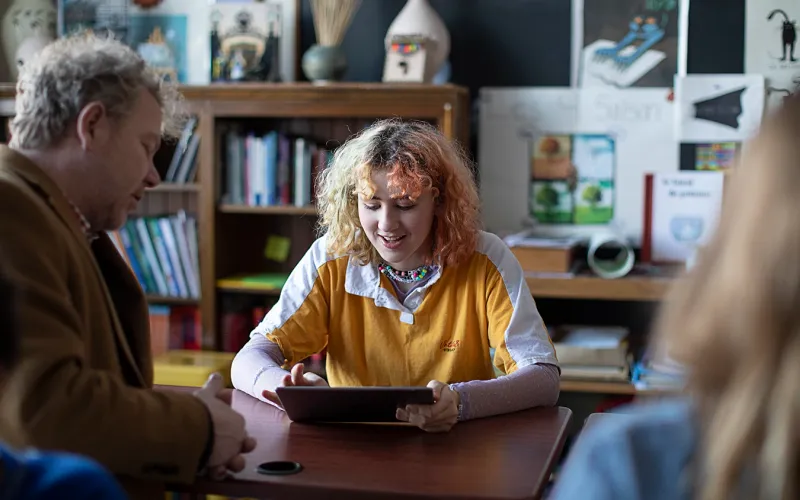
For example, a device with a screen reader supports comprehension if a student has low literacy or language skills. Using the camera on a device can help deepen student understanding as they interact with nature in the real world rather than from a book. A personalized approach to discovery such as this means technology is not the focus of the lesson, it is simply a tool that enhances learning based on student needs.
The impact on technology purchasing decisions in schools
Looking at these two areas, you can see where the choice of devices and technology may significantly differ depending on the route you take.
If you are teaching about the use of technology, you may focus on more traditional modes of technology with a laptop or desktop that has internet access. This focuses learning on the device itself and what apps are on the device that the student needs to learn about.
The second approach is a bit different. The choice of technology reflects the opportunities for learning that you can offer.
If you want students to be creative, mobile and reflective in multiple ways (audio, visual, kinesthetic) you need to choose technology that provides these avenues.
This is often where the choice of an iPad or laptop comes in, but it’s not exclusively an IT decision. It’s a learning one, so it should involve IT and education leaders to determine the best course of action. It’s important that these two groups work in unison to understand both the needs of the end user and the function of the device. It’s also important to discuss how to manage and secure the devices that your school chooses to ensure that management and security are part of the decision from the start.
What are the best tech tools for student engagement?
Schools want tech that engages with interactive and versatile features. Tools need to encourage creation and collaboration. This is why a lot of schools turn to iPad.
Let’s say your school has chosen the iPad due to its:
-
Mobility: students can learn from anywhere
-
Built-in creative tools: microphone, camera, drawing tools, keyboard
-
Access to productivity apps: Office 365, Google Workspace, email, internet
-
Accessibility: dictation, screen reader, screen filters, alternative navigation functions and cognitive supports
IT and school administrators then know that the infrastructure they build to support these iPads must support the functionality that meets the educational need.
That means:
-
Wi-Fi that covers all areas where students and teachers use the devices
-
Device management that ensures apps are updated to meet learning needs
-
Security measures that allow students to use the iPad independently yet still remain protected
-
Educators can access and use tools that support learning without specialist IT knowledge or training
This last point is a key element, as an iPad in the classroom is a learning tool — not a piece of IT equipment.
Choosing the right infrastructure
The choice of infrastructure is critical for the success of deployment and is an important piece of the puzzle for IT and education leadership to understand together. There are tools available that will fulfill IT’s needs for deploying, setting up and updating devices and apps. However, to serve the education element fully, IT needs to understand the space where iPad will be used. This includes virtual and hybrid classrooms or at-home learning. Students should have access to their learning materials wherever they are.
Learning doesn’t wait for devices to check in, and updates can’t disturb a lesson. Your management and security must work efficiently behind the scenes in a way that supports learning — not detract from it.
If educators and students are to trust that technology can help empower students and their outcomes, you need to feel confident that your systems allow exactly that. For devices to be more than just a managed box, educators need tools that help them use the device for exactly what the lesson requires. They also need to feel empowered to restrict or allow apps, websites or device functionality when the lesson plan calls for it rather than when IT decides. It’s in this way that it fully becomes a learning device, not an IT device.
Planning classroom technology for the future
The next key element is future-proofing a plan. Deployments that focus exclusively on IT can fall apart when money becomes an issue or if leadership changes. This means that the focus on the role of technology was on technology and not on learning.
Where the focus is on learning, technology is only a part of the process. It is embedded in the fabric of the school — not seen as an add-on or a luxury.
Investment in technology shouldn’t come exclusively from a digital or IT budget. It should come from a learning budget, or a mixture of outcome-focused budgets such as literacy, numeracy and equity. The device use goes far beyond simply access to the internet.
Why the right learning-focused tech is so important
First, student learning should be continuous and not interrupted by slow devices or software that isn’t updated. A student should have the same experience whether they started in the school on day one or year four of a rollout. If the focus is on learning, an old device shouldn’t hinder education.
Second, learning shouldn’t be a lottery. Students should have equal access to these opportunities, and it shouldn’t be based on whether the educator has the confidence or desire to use the device or whether or not they like technology. If the tech is based on learning, it should be ingrained into the ethos and culture of the school; it should be as commonplace as a book or a pen.
Building in a device refresh cycle
It is vital to build in a device refresh cycle. This ensures that devices stay up-to-date and that learning isn’t negatively impacted. This often involves ensuring that the cost savings of this technology have been taken into account such as:
-
Less use of paper, printing and electricity
-
Fewer expensive and sometimes outdated physical textbooks
-
Software license savings that well-managed devices provide
-
The money-saving aspect of built-in accessibility tools that replace other technology with a single-learning purpose.
Factoring in these savings in most cases can pay for a device refresh, management and security of devices with no additional funding needed. But only if the school culture supports it and educators don’t end up replicating things and paying twice: like using a photocopier when you could have shared a document digitally.
How to implement learning technology in schools
Let’s summarize some key takeaways.
-
Start with your learning goals: Your tech should meet your learning needs, not the other way around. Select tools that meet learning outcomes, promote equity and aid classroom learning.
-
Build supportive infrastructure: Consider how you will manage and secure your tech. You need to be able to configure devices in a way that minimizes disruption and caters to an individual student’s needs.
-
Empower your educators: Teachers should be able to wield technology to their advantage. Choose tools that offer classroom management controls to help teachers keep their students on track.
-
Plan for the future: Devices don’t last forever. Consider the cost savings a device can offer and factor in these savings when establishing a refresh cadence.
Did you choose Apple? Then choose Jamf!
If you choose Apple for all that Apple brings to your learning goals with technology, then choose Jamf to manage it. Jamf delivers learning opportunities to all of your students seamlessly and efficiently. Our education services provide management and security tools that meet both IT needs and classroom needs, and we also offer timely updates and patches.
And Jamf’s efficient setup and response goes beyond IT to provide educators with the confidence they need to use these tools, as well as the classroom management controls that set up devices for learning from before the teacher even enters the classroom.
If you keep your focus on education first and devices and management second, you’ll be setting yourself up for better outcomes, happier educators and more well-rounded student instruction.