Cybercriminals have launched a sophisticated phishing campaign that exploits trust in internal security systems by spoofing email delivery notifications to appear as legitimate spam-filter alerts within organizations.
These deceptive emails are designed to steal login credentials that could compromise email accounts, cloud storage, and other sensitive systems.
The attack begins with an email claiming that recent upgrades to the organization’s Secure Message system have resulted in pending messages failing to reach the recipient’s inbox.
The notification displays a professional-looking delivery report that includes the target’s email address, generic message subjects designed not to raise suspicion, and status information presented in a structured format.

Recipients are urged to click a “Move to Inbox” button to retrieve these supposedly held messages, with assurances that delivery will occur within one to two hours after confirmation.
The Technical Deception
Both the primary action button and the unsubscribe link employ a redirect mechanism through cbssports[.]com to mask the true destination a phishing site hosted on the domain mdbgo[.]io.

Security researchers at Unit42 initially identified this campaign type, prompting deeper investigation into its mechanics.
The phishing infrastructure demonstrates notable sophistication. Links within the spoofed emails pass the target’s email address as a base64-encoded string to the phishing site, which then presents a fake login screen with the victim’s domain pre-populated.
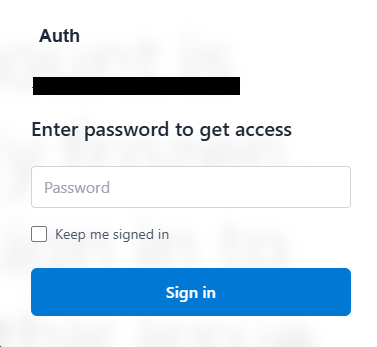
This personalization creates an illusion of legitimacy that can fool even cautious users.
Recent analysis reveals this attack variant has become more advanced than initially reported. The phishing site employs heavily obfuscated code and harvests credentials through websocket technology a persistent connection between the browser and server that operates like a continuous phone call.
Unlike traditional web forms that submit data when users click submit, websockets transmit information instantly as victims type.
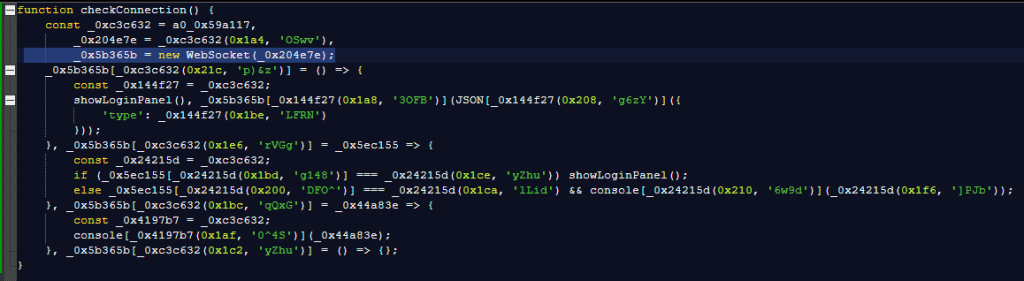
This real-time data exfiltration allows attackers to receive credentials the moment they’re entered and even send additional prompts requesting two-factor authentication codes.
Once attackers obtain these details, they can immediately access email accounts, cloud-stored files, reset passwords for other services, and impersonate victims across multiple platforms.
Protection Strategies
Security experts emphasize two fundamental rules for avoiding these threats: never open unsolicited attachments, and always verify the website address in your browser before entering credentials to ensure it matches the expected legitimate site.
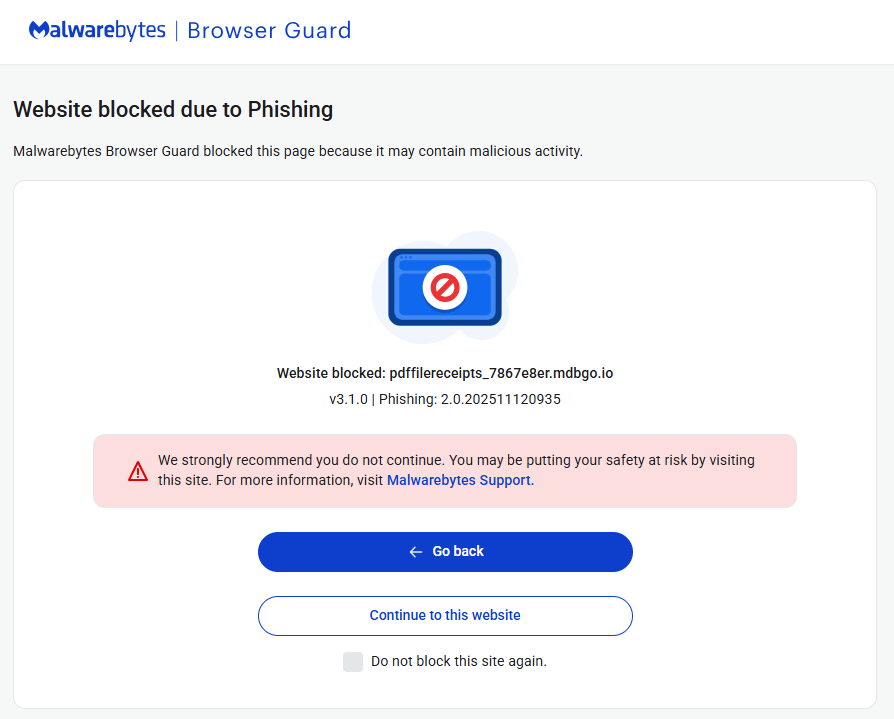
If you’ve already entered credentials on a suspicious site, immediately change your passwords. Security solutions like Malwarebytes Browser Guard can provide an additional layer of defense by blocking access to known phishing sites before credentials are entered.
Additional protective measures include verifying sender email addresses for authenticity, confirming unexpected attachments or links through alternative communication channels, maintaining updated security software with web protection capabilities, keeping all devices and software current, enabling multi-factor authentication on all accounts, and using password managers that won’t auto-fill credentials on fraudulent sites.
Organizations should educate employees about spoofing tactics, where cybercriminals impersonate trusted entities to gain confidence, access systems, steal data, or spread malware.
Email spoofing involves explicitly sending messages with false sender addresses as part of phishing attacks designed to steal information or install malware.
Follow us on Google News, LinkedIn, and X to Get Instant Updates and Set GBH as a Preferred Source in Google.