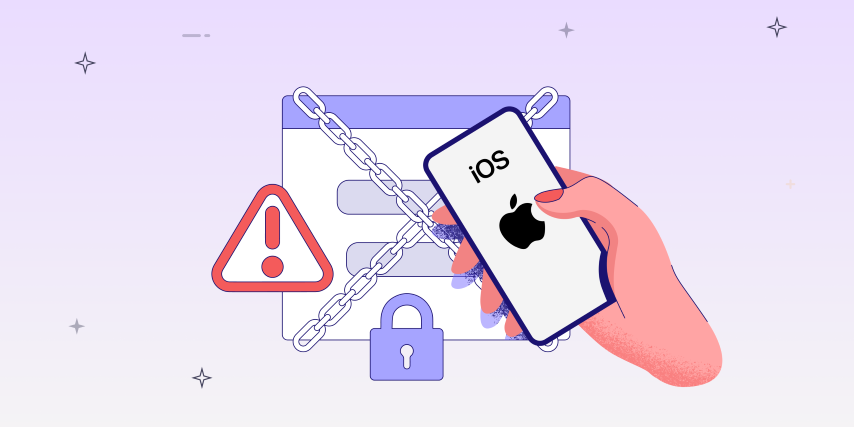
Mobile app security can’t afford surface-level assessments. To truly verify how apps handle compromise, security teams must venture deeper, and in the iOS world, that means jailbreaking.
Jailbreaking an iOS device grants pentesters the access required to uncover weaknesses otherwise invisible under Apple’s sandboxing model. By removing Apple’s built-in restrictions, testers gain deeper access to system files, APIs, and hidden behaviors that standard tools can’t expose.
This visibility makes jailbreaks a critical part of iOS pentesting, helping teams uncover vulnerabilities that would otherwise go undetected — from insecure data storage to weak runtime protections. Jailbreaking enables testers to simulate attackers, validate anti-jailbreak defenses, and assess whether sensitive data remains secure even on compromised devices.
According to OWASP, insecure platform usage ranks among the top threats for mobile apps.
In this blog, we’ll break down the fundamentals of jailbreaking for pentesting:
- The different approaches (semi-tethered vs. semi-untethered)
- The distinction between rootless and rootful jailbreaks
- Popular tools like Palera1n, Dopamine, and Checkra1n
- Why jailbreak knowledge matters for building truly secure iOS apps.
Whether you’re a pentester, a developer, or a CISO trying to understand why jailbreaking matters in the enterprise security stack, this guide will give you the context you need.

Key takeaways
-
Jailbreaking is essential for deep iOS pentesting: it exposes file systems, runtime behavior, and bypasses platform-level barriers.
-
Choose your jailbreak (semi-tethered vs untethered; rootful vs rootless) based on test requirements and device compatibility.
-
Rootful jailbreaks enable the deepest testing, but you may need to settle for rootless on newer iOS versions.
-
Tools like Palera1n, Dopamine, and Checkra1n serve different devices and test strategies.
-
Always back up, follow safe install steps, and stay compliant with legal/ethical boundaries.
What is jailbreaking, and why do pentesters need it?
Jailbreaking is the process of removing Apple’s built-in restrictions on iOS devices, enabling full access to the file system, system APIs, and custom runtime modifications.
What is the purpose of jailbreaking in pentesting?
For professional pentesters, jailbreaking is a legitimate tool to:
- Access to system files,
- Access to third-party apps,
- Enhanced control and functionality,
- Removal of restrictions,
- Custom system tweaks,
- Decrypt IPAs effortlessly,
- Test the effectiveness of anti-jailbreak or anti-tamper protections,
- Audit secure storage (Keychain, app sandbox) for leakage points, and
- Simulate how a real attacker exploits a compromised device.
|
Use Case |
Why it matters for pentesting |
|
Access to system files |
Enables analysis for sensitive data exposure, hidden logs, and forensic artifacts. |
|
Access to third-party apps |
Allows testing and inspection of all installed apps for cross-app data leakage. |
|
Enhanced control and functionality |
Enables monitoring, manipulation, and debugging of apps at runtime to identify vulnerabilities. |
|
Removal of restrictions |
Bypasses OS sandboxing to test for privilege escalation and security boundary flaws. |
|
Custom system tweaks |
Lets testers install tools and scripts for deep dynamic analysis and monitoring. |
|
Decrypting IPAs can be effortless. |
Permits static inspection and reverse engineering of app binaries for hidden threats. |
|
Test anti-jailbreak/anti-tamper protections |
Validates whether apps can detect or withstand device compromise scenarios. |
|
Audit secure storage (Keychain, sandbox) |
Checks if sensitive data is adequately secured or can be accessed outside the app. |
|
Simulate real attacker exploitation |
Accurately reproduces attacks from a compromised device to assess real-world risks. |
Approaches to jailbreaking: Semi-tethered vs. semi-untethered
Not all jailbreaks are created equal. The approach determines ease of use, operational risk, and suitability for different pentesting scenarios:
|
Jailbreak type |
Requires PC on reboot? |
Persistence |
Ideal for |
|
Semi-tethered |
✅ Yes |
Temporary |
Stable, repeatable testing |
|
Semi-untethered |
❌ No
|
Temporary, flexible |
On-the-go testing |
- A semi-tethered jailbreak is an iOS jailbreak in which the device needs to be connected to a computer every time it is powered on or rebooted to remain jailbroken.
- A semi-untethered jailbreak requires an application for the jailbreak exploit to be executed every time the system reboots. However, it doesn’t need the device to be connected to a computer each time it is turned on, for the jailbreak modifications to be retained.
Rootless vs. rootful jailbreaks
Rootless jailbreaks lack the capability to achieve complete privilege escalation. While they do grant access to the privileged root user account, they are unable to access the iOS root filesystem. If tweaks and tools necessitate access to the root filesystem, a rootless jailbreak would not serve as a feasible solution.
Rootful jailbreaks provide users with complete control over the iOS file system. These jailbreaks exploit a series of vulnerabilities that are actively and effectively utilized to gain privileged access to an iOS operating system.
For pentesters, rootful jailbreaks remain the gold standard for deep audits, but with newer iOS versions, rootless jailbreaks may be your only option.
How to jailbreak an iOS device?
First, ensure the compatibility of the iOS versions with jailbreaking by referring to the canijailbreak website. Remember, the procedure for entering DFU mode differs from one model to another.
A range of open-source jailbreaks is available for iOS devices:
- Palera1n
- Dopamine
- Checkra1n
Palera1n
Palera1n is a developer-focused jailbreak tool that is semi-tethered and relies on the checkm8 exploit for (A8-A11) devices on iOS 15.0-16.5.1. Sileo serves as the primary package manager for Palera1n, granting users the seamless capability to install and oversee jailbreak tweaks and applications effortlessly.
Note for A11 devices
- On A11 devices, disabling the passcode is required to utilize SEP functionalities such as Face ID/Touch ID and Apple Pay. Please note that you will need to boot into a stock iOS state in order to regain access to your passcode and other SEP features.
- For A11 devices with iOS 16 and a passcode preset, it needs to erase all content and settings in order to be able to jailbreak.
Installation
- Obtain the latest version by downloading it directly from the official Palra1n website.
- Ensure your device is backed up and running on a supported iOS version.
- Execute the palra1n binary file and then proceed to follow the on-screen instructions to enter DFU mode.
-2.png?width=782&height=332&name=image%20(4)-2.png)
- Afterward, the device will enter DFU mode and apply the exploit. Following this, the device will boot up by itself.
NOTE: If the device becomes unresponsive at the PongoOS screen during the process, simply reconnect the device and execute the palra1n binary once more. This will allow the installation to resume from where it was previously halted.
-1.png?width=787&height=498&name=image%20(5)-1.png)
NOTE: If the device is powered off or restarted, it will be necessary to connect the device to the computer and repeat the process in order to regain the jailbreak.
Dopamine jailbreak
Dopamine is a semi-untethered jailbreak method; you need an application for jailbreak exploit to reapply after a system reboot. It supports a wide range of devices running iOS 15.0 to 16.5, including A14 and older devices, as well as M1 devices on iOS 16.5.1. Furthermore, it supports A11 and earlier devices on iOS 16.6 to 16.6.1. Sileo serves as the default package manager, with ElleKit employed as the default tweak injection library.
The dopamine jailbreak can be installed via TrollStore or Sideloadly.
- TrollStore: Sign in permanently to Dopamine on iOS 15, eliminating the hassle of signing in.
For more information about installation, use the website.
- Sideloadly: The IPA needs to be re-signed periodically for this technique.
For more information about installation via sideloadly, use the website.
Checkra1n
Checkra1n is a well-known semi-tethered jailbreak tool recognized for its stability and dependability. It utilizes the checkm8 exploit, a robust bootrom exploit that works on A5 to A11 devices. One benefit is that your iPhone can still be used in its original, non-jailbroken state even after being powered off and on again. Checkra1n is predominantly designed for macOS and Linux. Cydia serves as the package manager for Checkra1n, providing users with the ability to install and organize jailbreak tweaks and applications effortlessly.
Installation
- Obtain the latest version by downloading it directly from the official Checkra1n website.
- Ensure your device is backed up and running on a supported iOS version.
- Connect the device to the computer.
-2.png?width=638&height=402&name=image%20(6)-2.png)
- To proceed to the next step, simply click on the start button once the device is visible on the screen.
- Begin by clicking on the “Start” button and proceed to follow the step-by-step instructions displayed on the screen.
- Afterward, the device will enter DFU mode and apply the exploit. Following this, the device will boot up by itself.
NOTE: If the device is powered off or restarted, it will be necessary to connect the device to the computer and repeat the process to reapply the jailbreak.
Summary table: Popular jailbreaking tools for pen testers
|
Tool |
Device support |
iOS versions |
Type |
|
Palera1n |
A8–A11 (6s–X) |
15–17.x |
Semi-tethered |
|
Dopamine |
A12+ |
15–16.x |
Semi-untethered |
|
Checkra1n |
A8–A11 (6s–X) |
up to 14.x |
Semi-tethered |
Practical tips for penetration testers
- Combine jailbreaking with tools like Frida, Objection, or Cycript for advanced dynamic analysis.
- To minimize forensic risk, always wipe and restore the device post-testing — never leave it jailbroken.
- Document findings with screenshots, logs, and clearly note the jailbroken state when reporting vulnerabilities.
Security tip: Always conduct jailbreaking on non-production, controlled lab devices only. Never risk client or production hardware.
Conclusion
Jailbreaking isn’t just about bypassing Apple’s restrictions. It’s about gaining the visibility required to uncover real-world vulnerabilities.
By mastering semi-tethered vs. semi-untethered jailbreaks, understanding rootless vs. rootful access, and using proven tools like Palera1n, Dopamine, and Checkra1n, penetration testers can recreate realistic attacker scenarios and strengthen app security.
However, jailbreaking is just one piece of the puzzle. True iOS security comes from combining manual testing with automated vulnerability detection, ensuring that you catch logic flaws, insecure data flows, and API misconfigurations before attackers do.
🔒 Ready to secure your apps end-to-end?
Appknox’s in-house expert pentesting team blends automation with manual, real-device testing to give you comprehensive coverage and compliance-ready reports.Book a demo today!
Frequently Asked Questions
1. Is jailbreaking legal for security testing?
Yes, jailbreaking is legal for security testing, but only if you test with explicit authorization from the device/app owner. Unlawful jailbreaking can breach contracts and laws.
2. Which jailbreak tool works best for iOS 16+ devices?
Palera1n covers A11-and-older on iOS 16/17, whereas Dopamine or XinaA15 is recommended for A12+ devices.
3. What are the risks of jailbreaking a pentest device?
The risks of jailbreaking a device include:
- Potential for instability,
- Malware exposure, and
- Permanent warranty loss.
Use only disposable or lab-only hardware.
4. Can I reverse jailbreak after testing is complete?
Yes, reverse jailbreak is possible via device restore. Always wipe and reinstall the OS before reusing the device.
5. How does jailbreaking help with MASVS testing?
Jailbreaking enables validation of anti-jailbreak checks, secure storage, and app resilience. These are the core tenets of OWASP MASVS.
6. How does Appknox fit into this process?
Appknox eliminates the complexity of manual jailbreak setups by providing automated real-device testing that simulates jailbreak conditions, which are faster, safer, and CI/CD-ready.
7. How does Appknox fit into this process?
Appknox eliminates the complexity of manual jailbreak setups by providing automated real-device testing that simulates jailbreak conditions, which are faster, safer, and CI/CD-ready.